DeskLab
Free, open-source tools for your computer, glued together in Revelstoke, BC. They work offline, show you what they'll do before they do it, and never phone home.
- Free and open source (MIT)
- Works offline
- No telemetry
- Preview before anything changes
DeskZero
The tidy-up crew for messy folders
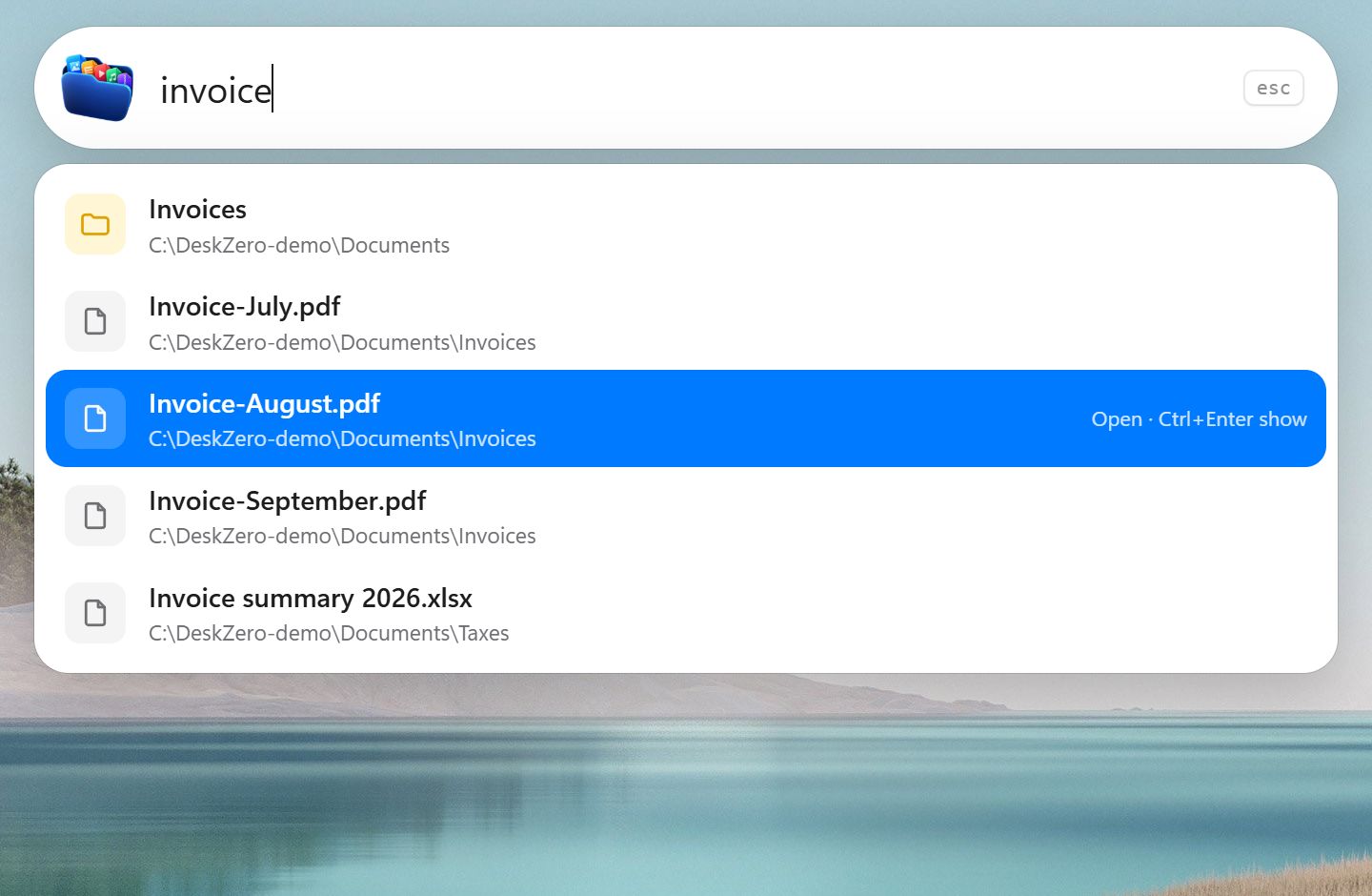
Drop loose files into one folder and DeskZero sorts them into Images, Documents, Videos and more, by simple rules you control. It can watch Downloads and Desktop in the background, finds duplicate files, and a search bar on Ctrl+Shift+Space finds files, folders and apps from anywhere.
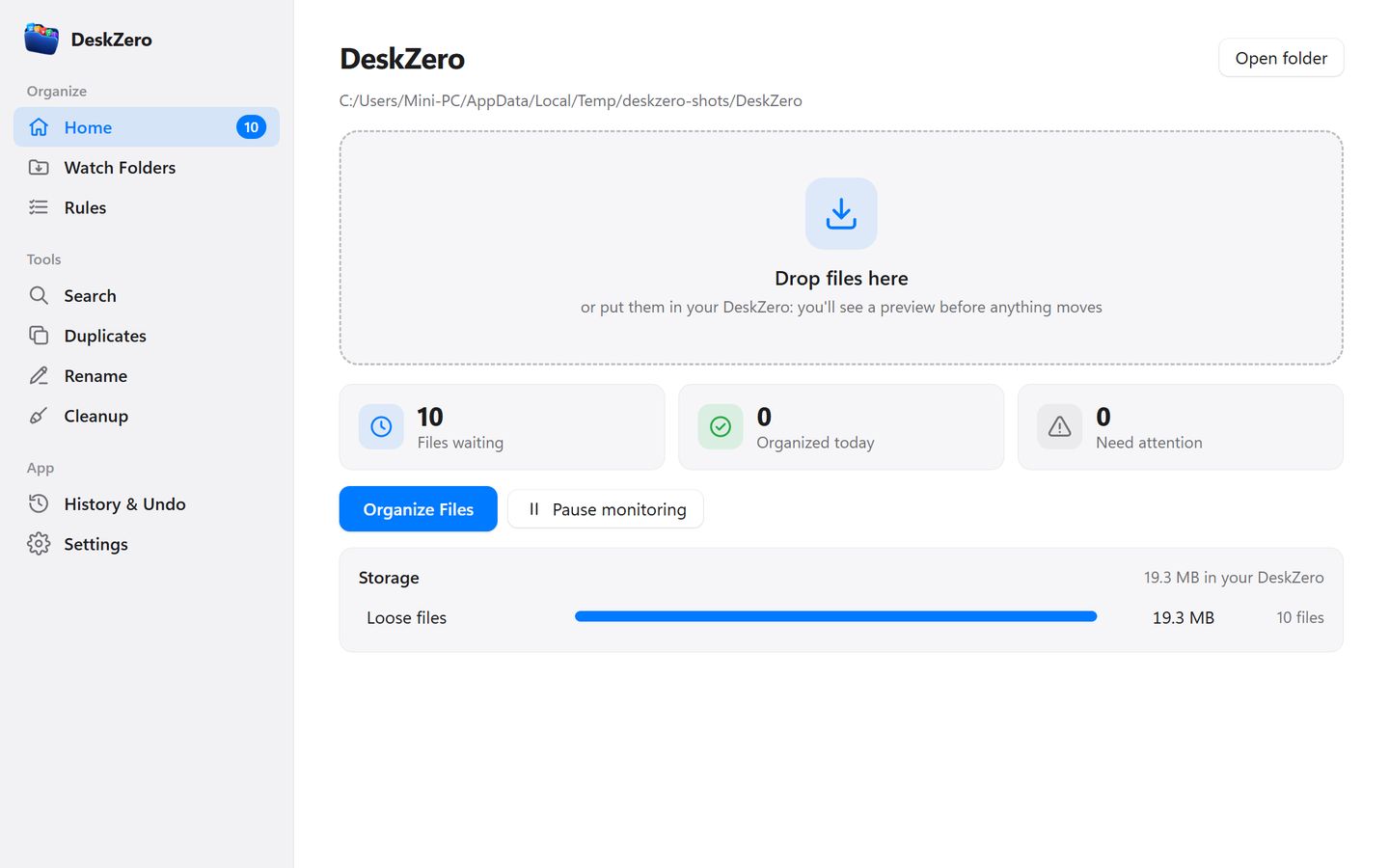
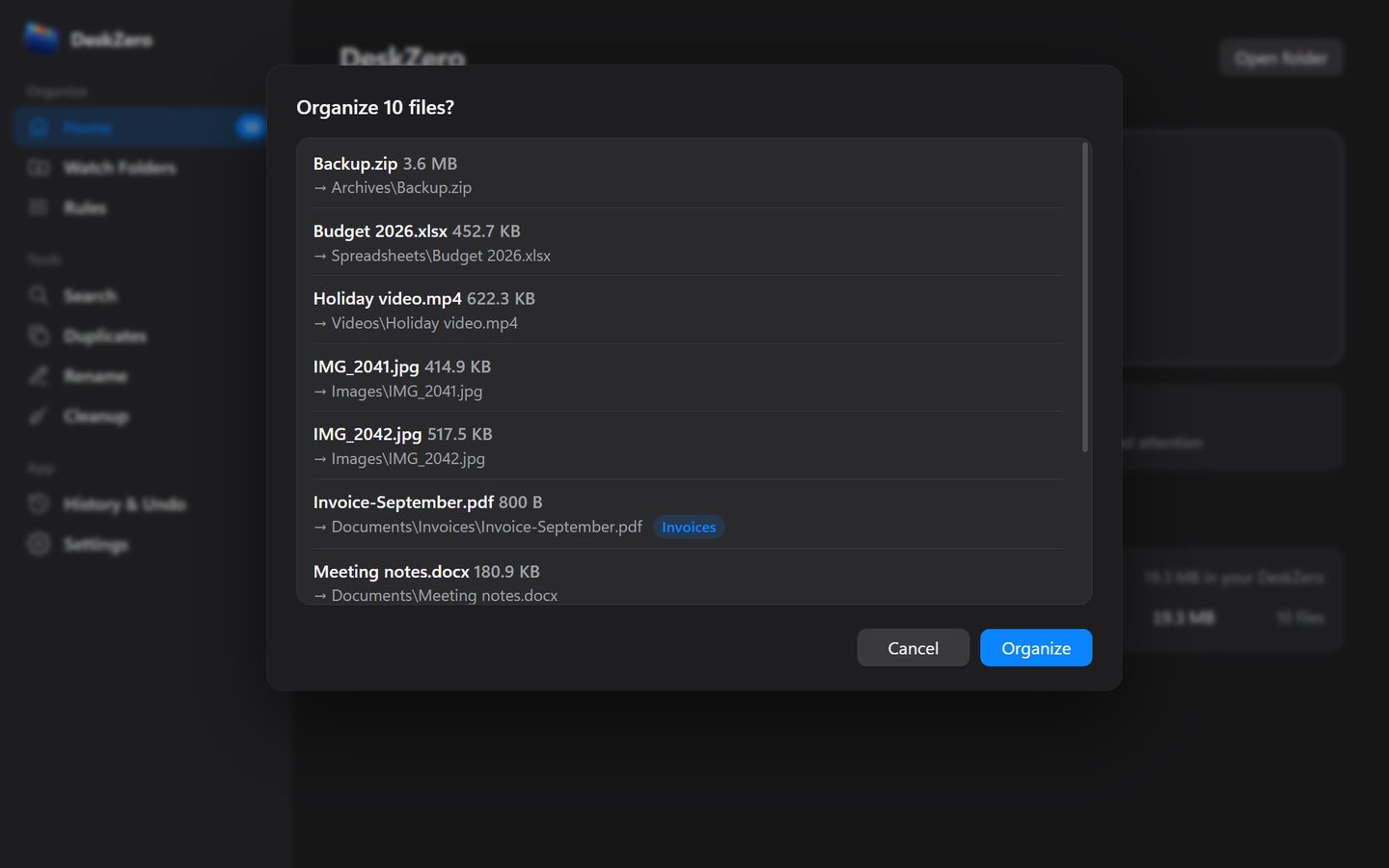
- A preview of every move before it happens: nothing moves without your OK, and every batch can be undone
- Rules like “name contains invoice → Documents/Invoices”, matching on name, extension, type, size and dates. Photos can go into date folders by the day they were taken
- Watches folders like Downloads in the background and picks up a file only once it has finished downloading
- Universal search on Ctrl+Shift+Space, a duplicate finder that compares file hashes, and an archive for files untouched in months
- Never deletes a file, never overwrites by default, and hidden and system files are always left alone
DeskMedic
A first-aid kit for Windows PCs
A toolkit for the moments a PC misbehaves: see what fills a disk in seconds, clear temporary files safely, check the PC's health, find where the internet breaks, and run one-click remedies for everyday problems. Everything that changes something is shown first, and every change goes into a log you can paste into a ticket.
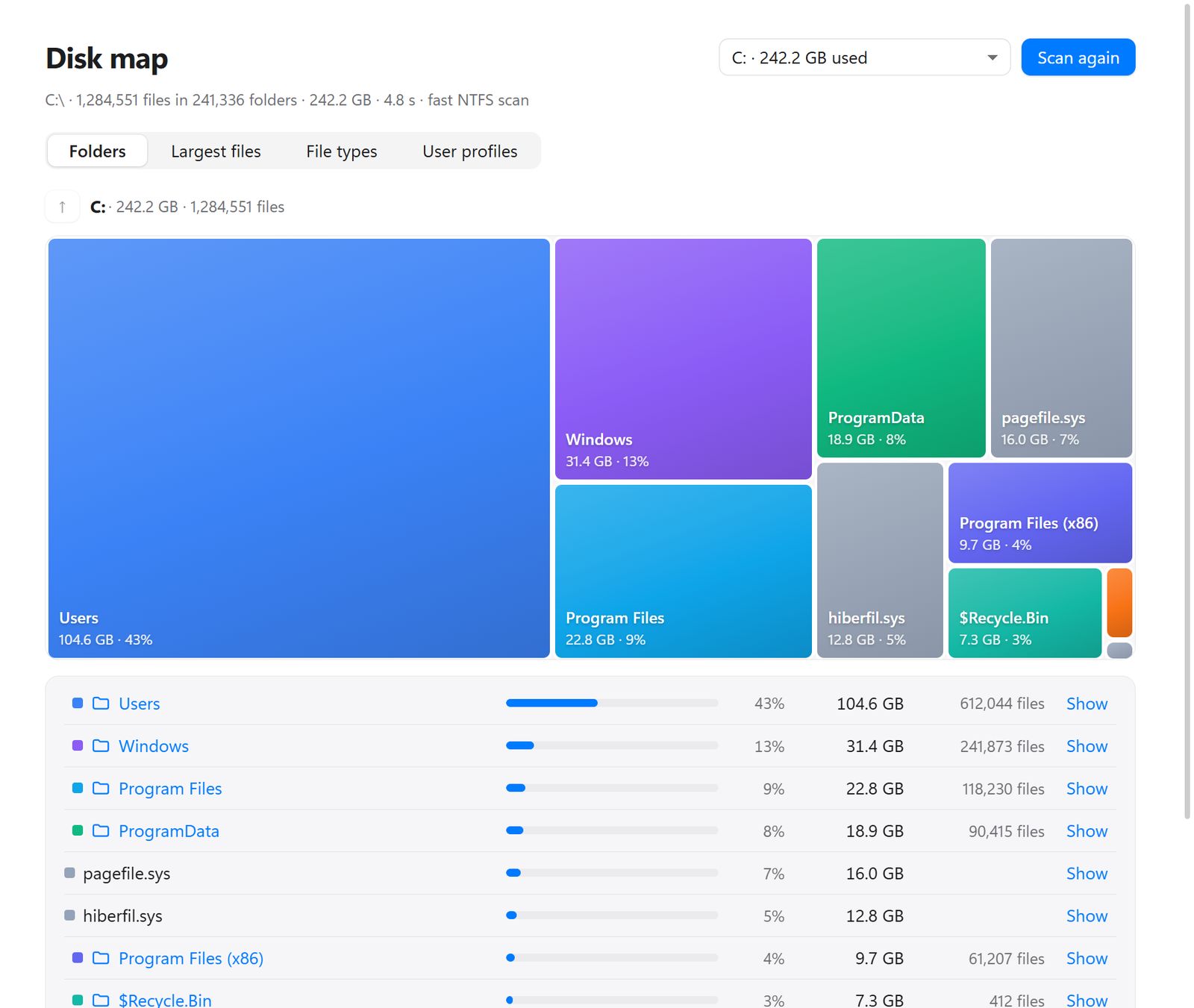
- Disk map reads an NTFS drive straight from the master file table: a whole drive mapped in seconds, with a treemap, the largest files and old user profiles
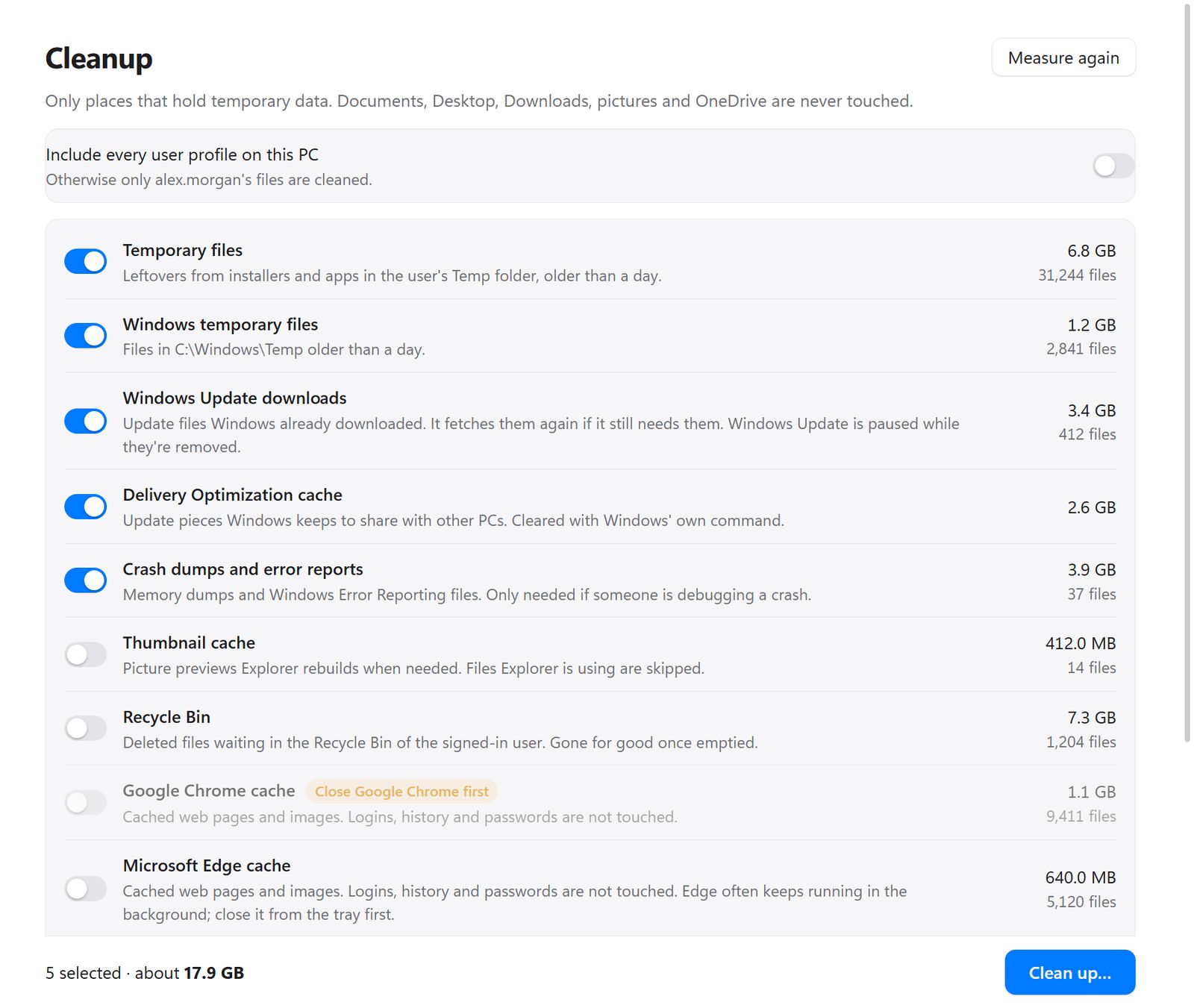
- Cleanup measures first, then clears temp files, update leftovers, crash dumps and browser caches. Documents, Desktop, Downloads, pictures and OneDrive are never touched
- Health check rates what usually sits behind a support call (free space, pending restarts, Windows Update, virus protection, crashes, battery wear), each with a plain-English next step
- Network doctor tests connection, Wi-Fi, router, DNS and internet in turn, and says where it breaks: “reaches the router but not the internet”
- Fifteen one-click remedies (DNS, print queue, Windows Update, Teams, no sound, blank icons, Windows search and more), with a restore point first for the risky ones, and a Send to IT zip for the helpdesk
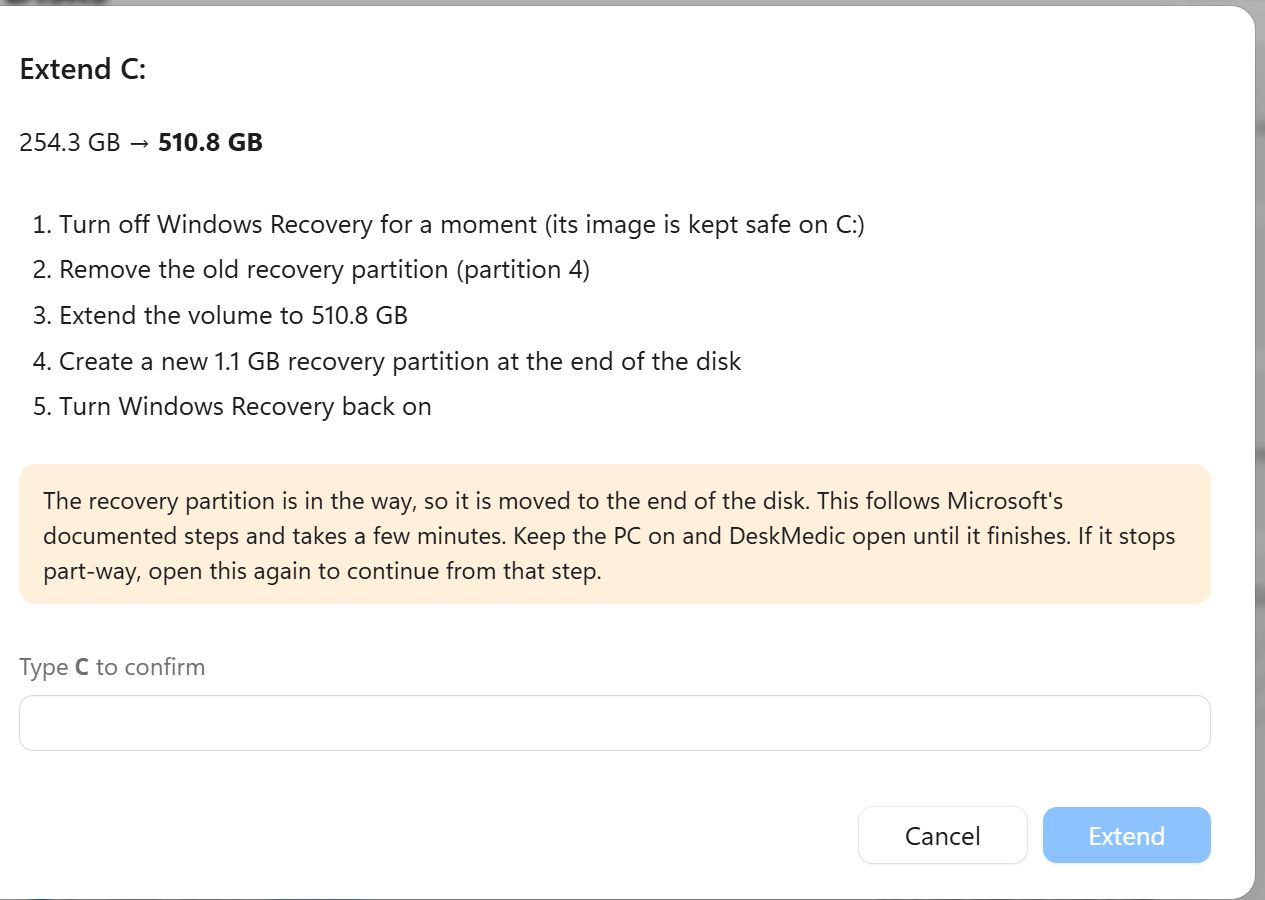
- Fixes “Extend Volume is greyed out” by moving the recovery partition out of the way, following Microsoft's own steps, and it can pick up where it stopped
House rules
every DeskLab tool, now and later
Shows its work first
You see exactly what a tool is about to do (every move, every delete, every fix) before anything happens.
A way back
Changes can be undone, or written to a plain-text log you can keep. Nothing happens silently.
Yours, offline
No account, no cloud, no telemetry. The whole code is on GitHub under the MIT licence.
On the bench
the next tool is still being glued together, check back soon